Running Servlet 2.3 today: the environment for Java Time Travel
Starting point
The “Java Time Travel” series rebuilds Java eras since 2001 in the style of the time: small, tested examples, openly labelled as reconstructions. Era 1 is the time of Servlet 2.3 and JSP 1.2: a web.xml without annotations, a WAR archive, a build with Ant, and Tomcat 4.1 as the server.
Before I write the first exercise, I need an environment that runs all this. Tomcat 4.1 implements Servlet 2.3 and JSP 1.2. But running such an old server on a current MacBook Air with an Apple chip seemed unrealistic to me. I did not try it.
Decision
The source code should be written in the style of the era, the server may be modern. I weighed three options:
- Tomcat 4.1 itself: historically accurate, but untried and probably laborious.
- Tomcat 10 or newer: the packages are called
jakarta.*there instead ofjavax.*, so the old code would need converting. There is said to be an automatic conversion on deployment; I did not test it. - Tomcat 9: the last Tomcat version with the
javaxpackages. It implements Servlet 4.0 and runs on Java 8 and later.
I chose Tomcat 9 in Docker. That makes the environment reproducible, and the pipeline can use the same images later. In the first stage, Ant builds with JDK 17, compiling the code against the Servlet API 2.3 at Java 8 level. In the second stage, the WAR runs on Tomcat 9.
One drawback: according to the project’s announcement, support for the 9.0.x branch ends on 31 March 2027. A follow-up branch 9.1.x with releases until 31 December 2030 has been announced. The environment only runs locally on my machine, not publicly on the internet.
The version information comes from the Tomcat website and the Servlet specification. I built, started and tested it myself.
Implementation
All files of this post are in the public repo java-time-travel, in the folder epoche-01-servlet-jsp/umgebung.
1. Start Docker. The command-line program was installed, but docker run reported that the service could not be reached. I simply had not opened Docker Desktop. Only when “Engine running” appeared at the bottom left could I continue.

2. Get the Servlet API 2.3. The jar is on Maven Central. With file I check that an archive really arrived:
mkdir -p lib
curl -L -o lib/servlet-api-2.3.jar https://repo1.maven.org/maven2/javax/servlet/servlet-api/2.3/servlet-api-2.3.jar
file lib/servlet-api-2.3.jar
3. Two stages in the Dockerfile. The first builds the WAR with Ant, the second runs it on Tomcat 9 (shortened):
FROM eclipse-temurin:17-jdk AS build
RUN apt-get update && apt-get install -y --no-install-recommends ant
WORKDIR /app
COPY build.xml .
COPY src src
COPY web web
COPY lib lib
RUN ant war

FROM tomcat:9.0-jdk17-temurin
RUN rm -rf /usr/local/tomcat/webapps/*
COPY --from=build /app/build/hallo.war /usr/local/tomcat/webapps/hallo.war
4. Build, start, call.
docker build -t zeitreise-test .
docker run --rm -p 8080:8080 --name zeitreise-test zeitreise-test
curl -i http://localhost:8080/hallo/hallo
To make Ant’s own output visible as well, I build with --progress=plain and filter it down to three lines:
docker build --no-cache --progress=plain -t zeitreise-test . 2>&1 | grep -E "BUILD SUCCESSFUL|Total time|naming to"
The Tomcat log shows (shortened):
Server version name:   Apache Tomcat/9.0.123
[…]
Deploying web application archive [/usr/local/tomcat/webapps/hallo.war]
And the servlet’s response:
Hallo aus einem Servlet im 2.3-Stil
Container: Apache Tomcat/9.0.123
Servlet-API des Containers: 4.0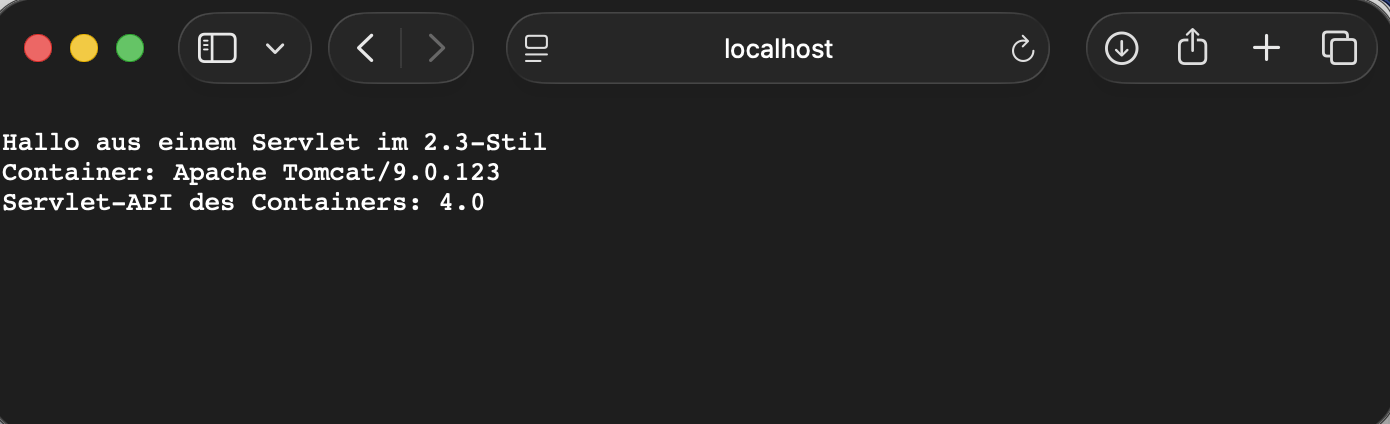
Takeaway
It works: a servlet that only uses classes of the Servlet API 2.3, with a web.xml carrying the 2.3 declaration, runs on Tomcat 9. The container reports Servlet API 4.0, though. So the server is newer than the code, which is exactly why this is a reconstruction and not an original.
What is not proven is how Tomcat 4.1 itself behaves, for example when checking the web.xml. It is also open whether the DTD is read without internet access. My container had access.
One small thing surprised me: on a successful build, Docker hides Ant’s output. At first I only saw that ant war ran through because the build did not abort. With --progress=plain the output stays visible, and Ant reports “BUILD SUCCESSFUL”.
Sources
- Apache Tomcat: Which Version (mapping of Tomcat to Servlet versions)
- Apache Tomcat 4.1: README (Servlet 2.3 and JSP 1.2)
- Java Servlet Specification 2.3 (JSR 53)
- Apache Ant: manual for the War task
- Apache Tomcat: End of support for Apache Tomcat 9.0.x